
How to Speed Up Content Research Without Losing Editorial Control

Writer surrounded by open browser tabs, overwhelmed by information overload before writing

The familiar version of the Lincoln quote is about preparation paying off: as he put it, "Give me six hours to chop down a tree and I will spend the first four sharpening the axe." Lincoln's point wasn't about going slow — it was about the leverage a single upfront decision gives you over everything that follows. For writers, that same logic applies directly to research speed.

Most research sessions feel slow not because there isn't enough material, but because the writer never defined what they were looking for. Without a bounded question, every new tab is equally justifiable. An article on "content research tips" could pull in data on SEO, audience psychology, tool comparisons, publishing workflows, and a dozen adjacent topics — none of it wrong, all of it compounding the time cost.

The thesis sentence is the axe-sharpening moment.

Writing a single sentence — before opening any research tool — transforms an open-ended browse into a directed query. Not a topic, not a title, but a claim: something specific enough to be wrong. "Writers waste research time because they skip thesis-first thinking" is a thesis. "Content research for writers" is not.

This matters for AI-assisted research in a specific way. Tools like Perplexity and Claude are fast at synthesis, but they take their direction from the prompt. A vague prompt produces a broad, generic output that still requires hours of sorting. A thesis-anchored prompt — "Find data and examples supporting the claim that writing a thesis before researching reduces total session time" — returns material you can actually use. The thesis doesn't just focus the writer; it focuses the tool.

The practical takeaway is simple: before your next research session, write one sentence that states what your article is actually arguing. Not what it covers — what it claims. That sentence collapses the scope of what counts as relevant, which is the only real shortcut research has.

Give me six hours to chop down a tree and I will spend the first four sharpening the axe.

Abraham Lincoln
16th President of the United States

The Four Moves That Restructure Your Research Process

Most research slowdowns aren't skill problems — they're structure problems. These four moves convert an open-ended pre-writing ritual into a staged, bounded process you can actually finish.

1
Write your thesis before opening any research tool

A single sentence defining your argument gives every search query a job to do. Without it, collection has no natural stopping point.

2
Separate collection from analysis

Run a dedicated discovery pass first — using a tool like Perplexity — then switch to synthesis. Mixing both in one session is where most sessions run long.

3
Mine audience platforms for real language

Reddit, LinkedIn, and YouTube surface the unpolished, emotional questions that keyword tools miss. That language belongs in your brief before you write a word.

4
Verify every specific claim before publishing

AI handles synthesis well but hallucinates citations and misremembers statistics. Human verification isn't a final step — it's a non-negotiable checkpoint built into the workflow.

Most writers treat research as a question with no boundaries: what do I need to know about this topic? That framing is the problem. An open question produces open browsing — tab after tab, each one plausible, none of them clearly the last.

The fix is small and takes about 30 seconds. Before opening Perplexity, Claude, or a single search tab, write one sentence that states what your article argues. Not what it covers — what it argues. "AI research tools cut content research time by separating collection from analysis" is a thesis. "AI tools for content research" is a topic. The distinction determines everything that follows.

A thesis sentence converts your research session from browsing into answering. Every source you find either supports, complicates, or contradicts that sentence. You can make a call on each one in seconds. Without it, every source feels potentially relevant — which means none of them clearly isn't.

This is the same discipline intelligence analysts use when separating collection from analysis: define the question before gathering evidence, or the evidence pile never stops growing. Ryan Stax, a former intelligence professional writing about research workflows, recommends writing the thesis before touching any research tool precisely for this reason — the thesis is what tells Gemini or Claude what a useful result actually looks like.

The 'research as procrastination' trap is real. It feels productive to keep reading. A thesis sentence is what makes stopping feel justified — you have an answer, not just more material. It also makes AI tools significantly more effective: a specific prompt built around a clear thesis produces a usable brief; a vague one produces a summary you'll need to re-research.

Write the sentence first. Everything downstream gets faster.

With a thesis in place, the next decision shapes how long the session actually takes: do you collect and analyze at the same time, or separately?

Most writers blend both — scanning a source, pausing to evaluate it, noting a point, then searching again. That blending feels efficient. It isn't. Each context switch adds cognitive overhead, and sources evaluated mid-collection tend to be held to inconsistent standards because the full picture hasn't emerged yet.

The faster approach keeps the stages clean. Collection first: use Perplexity with a specific, thesis-anchored prompt to surface relevant sources, counterarguments, and supporting data. Don't stop to evaluate. Capture what looks relevant, flag what doesn't fit, and keep moving. A focused collection pass typically runs 10–15 minutes.

Analysis second: take the collected material to Claude and ask it to synthesize — identify the strongest supporting points, surface tensions worth addressing, and produce a structured brief aligned to the original thesis. This stage produces something usable rather than a pile of tabs to sort through later.

The practical result: research sessions that typically run 60–90 minutes compress to 20–30 minutes. Not because less ground is covered, but because each tool is doing the work it handles well. Perplexity is built for discovery — broad, fast, and source-diverse. Claude is built for synthesis — pattern recognition across material the collection phase already gathered.

The constraint that makes this work is the thesis. Without it, the collection phase has no boundary and the synthesis prompt has no target. With it, both stages stay bounded — and bounded is fast.

Reddit thread open on a laptop screen showing candid audience questions about a writing workflow

Platform threads reveal the unpolished language keyword tools miss.

Keyword tools tell you what people search for. Reddit and LinkedIn tell you how people actually feel about it.

That distinction matters more than it sounds. A keyword tool might surface "content research workflow" as a relevant term. But a Reddit thread titled "I spent 4 hours researching and still couldn't start writing — what's wrong with me?" gives you something entirely different: the emotional texture of the problem, in the reader's own words, unfiltered by what they think they're supposed to say.

This is the core value of platform-specific research. LinkedIn surfaces the professional framing — how practitioners describe their challenges in contexts where reputation is on the line. Reddit surfaces the unguarded version — frustration, confusion, and the half-formed questions that never make it into a Google search bar.

The practical move is straightforward. Search Reddit for your thesis topic, filter by top posts in relevant communities, and read the comment threads — not just the posts themselves. Comments are where the real language lives. Note the exact phrases people use to describe their friction. "I always fall down a rabbit hole." "I end up with 30 tabs and no draft." Those phrases belong in your brief.

On LinkedIn, search your topic in posts (not articles) and look at high-engagement comments. The language is more polished, but the underlying concerns are often more specific — which makes them useful for framing sections aimed at professional readers.

Feed this language directly into the brief you built in the collection phase. It tells Claude — or whichever synthesis tool you're using — what real readers are confused about, not just what subtopics exist. The result is an article that answers the question the reader was actually asking, not the cleaned-up version they typed into a search engine.
AI tools are exceptional at one thing: turning a pile of sources into a structured, readable synthesis. What they are not reliable at is remembering exactly what those sources said.

This is the verification problem. Claude, Perplexity, and ChatGPT can hallucinate citations — producing plausible-sounding journal names, author combinations, and publication dates that don't exist. They can misremember statistics, shifting a figure from 38% to 42% without flagging the change. They can attribute a quote to the right person but from the wrong source, or to the wrong person entirely.

The practical consequence: every specific fact, data point, or attributed quote that comes out of an AI synthesis step requires a separate verification pass against a primary source before it reaches your draft.

This doesn't mean discarding AI synthesis — it remains genuinely useful for identifying what to look for and how to structure it. The distinction is between finding information and trusting it. AI handles the former well. The latter stays with you.

A workable verification habit looks like this:

  • Flag every statistic in the AI's output with a note to confirm
  • Open the primary source — not a secondary article citing it — and check the number, context, and date
  • Verify that quotes are attributed to the correct person and taken from an actual document you can link to
  • Watch for predatory journals surfacing in AI-generated source lists; a credible-sounding name doesn't mean peer review

Writers who skip this step don't just risk publishing an error — they risk publishing confidently, at speed, which makes corrections harder and reputational damage more likely. The research workflow covered in the earlier stages of this process gets you to a brief faster. This step is what makes that brief publishable.

Mistakes to Avoid at Each Stage

Each stage of the research process has one failure mode that undermines everything that follows — and a signal that tells you it's already happening.

Writing the topic instead of the argument

The mistake: opening a research tool with a broad subject in mind rather than a single, falsifiable sentence. The signal: your first search is the topic name itself — 'content marketing' or 'AI research tools' — with no specific claim attached. That query has no boundary, which means the session has no end condition.

Mixing collection and analysis in the same session

The mistake: stopping to evaluate, annotate, or outline while still gathering sources. The signal: you have twelve tabs open and you're writing notes in a separate document before the collection phase is done. Analysis thinking shuts down discovery — you stop finding new sources because you've already started defending the ones you have.

Accepting AI structure as final structure

The mistake: treating Claude or Gemini's synthesized outline as the article's architecture without applying editorial judgment. The signal: your draft follows the AI's section order exactly, including the AI's framing of which points matter most. AI synthesis reflects the weight of the sources it found — not the weight your specific audience needs.

Verifying secondary sources instead of primary ones

The mistake: confirming a statistic by finding a second article that also cites it, rather than opening the original study. The signal: your source list contains no direct links to primary research — only links to other blog posts or aggregators. Two secondary sources citing the same hallucinated figure don't cancel each other out; they compound the error.

Writer's desk with open laptop, notebook, and browser tabs visible — research and writing in one workspace

Keeping sources attached to claims during drafting eliminates the re-entry cost.

You finish your research session with 14 open tabs, a Claude synthesis, and a solid brief. Then you open a blank document — and the friction starts all over again.

Re-finding the stat you want to cite. Re-reading the source you half-remember. Rebuilding, mid-sentence, the connection between a claim and where it came from. This is the hidden cost that most research guides don't address: the second wave of friction that hits the moment drafting begins.

Front-loading research as a separate phase feels thorough. In practice, it severs the link between your sources and your sentences. By the time you're writing paragraph three, you're no longer working from a brief — you're working from memory, and memory degrades fast under drafting pressure.

The fix isn't to research less. It's to keep source management alive inside the writing workflow, not archived beside it. That means attaching each claim to a verified URL as you draft, not afterward. It means keeping your brief open alongside your document, not closed in another app. It means treating citation discipline — each fact linked to its source at the moment you use it — as part of writing, not a cleanup task for later.

This approach does something structural: it eliminates the re-entry cost. You don't lose context because context never left. The source connection that took effort to build during collection stays intact through drafting, editing, and publishing.

The research guides that describe collection, synthesis, and verification as separate sequential phases are right about the order — but they stop short of solving the handoff problem. Integrating source management into drafting is what closes the gap.

Fragmented vs. Integrated: Workflow Comparison

AttributeFragmented Multi-Tool WorkflowIntegrated Research-and-Writing Workspace
Average research session time60–90 minutes across separate tools20–30 minutes with staged, single-workspace process
Tool switches per article5–8+ (search engine, AI tool, notes app, writing app, citation manager)1–2 (research and draft live in the same environment)
Citation accuracy at publishLow — sources recorded manually, often after drafting; gaps appear at editing stageHigh — each claim attached to a verified URL at the moment of use, not as a cleanup step
Context loss between research and draftingHigh — tabs close, briefs go cold, source connections must be rebuilt mid-sentenceMinimal — brief, sources, and draft remain open in one workspace throughout
Re-entry cost when resuming mid-articleSignificant — writer must relocate sources, re-read notes, and reconstruct argument threadLow — context persists; writer picks up where they left off without rebuilding
Verification disciplineInconsistent — verification typically bolted on at the end, increasing the chance a hallucinated stat reaches the draftBuilt in — source links tracked per claim during drafting, making fact-checking a continuous step

Build Once, Reuse Always: The Case for a Repeatable Research System

Every guide on faster research gives you a workflow for one article. That's the wrong unit of measurement.

The real leverage isn't in shaving 20 minutes off a single session — it's in building infrastructure that makes every subsequent session faster than the last. A reusable prompt library, a standard brief template, and a saved set of source criteria aren't setup costs. They're compounding assets.

What a repeatable system actually looks like

Three components do most of the work:

  • A prompt library: A saved collection of research prompts organized by task type — audience voice mining, competitor gap analysis, synthesis requests, verification checks. The first time you write a prompt that works, you save it. By article ten, you're not writing prompts from scratch; you're selecting and adapting them.
  • A brief template: A consistent structure that captures thesis, target audience, key sources, and open questions in the same format every time. This pays for itself the moment you hand a brief to an editor, a collaborator, or your future self picking up a draft mid-week.
  • Saved source criteria: A short checklist for evaluating whether a source is worth citing — recency, publication type, primary vs. secondary, potential conflicts of interest. Rosanna Campbell's work for Relato specifically flags the risk of predatory journals surfacing in AI-generated source lists; a saved checklist catches these before they reach your draft.

The compounding math

The first article built on this system takes longer than usual — you're creating the infrastructure alongside the content. The second article, you recover that time. By the tenth, the setup phase has effectively disappeared; you're spending the time you actually need on thinking, not on re-inventing process.

This is the part most research guides skip. They optimize for the single session. A system optimizes for the body of work.

Practical starting point: After your next research session, spend five minutes saving the three prompts that produced the most useful output. That's your prompt library — started.

Frequently Asked Questions

Specificity matters a lot. Vague prompts like "research content marketing" produce generic overviews that require heavy editing to be useful. Prompts that define your target audience, the format you're writing for, the outcome you want, and what to exclude produce briefs you can work from directly. A useful rule: if your prompt could apply to any article on that topic, it's not specific enough. Add your thesis sentence, your audience's level of familiarity, and one concrete constraint — that alone will significantly improve output quality.

No — not for specific facts, statistics, or attributed quotes. AI tools like Claude and Perplexity handle synthesis and structure well, but they hallucinate citations and can misremember statistics. This isn't an edge case; it's a known limitation across all current AI research tools. Every specific claim that will appear in your published piece needs to be verified against a primary source before it goes live. Treat AI output as a fast first draft of your research — useful for direction and structure, not for citable facts.

The key is capturing outputs at the right level of abstraction during your research session. When you build your brief, tag each source or insight by the question it answers, not the format it's destined for. An audience-voice finding from Reddit might become a social post hook, a newsletter opening, and a paragraph in your article — the same raw material, shaped differently. If you're using a structured brief template, add a 'format notes' column alongside each source. This prevents you from running three separate research sessions for what is fundamentally the same story.

You're ready to write when you can state your thesis in one sentence and point to at least three sources that directly support it. If you can't do both, the research isn't done yet — or your thesis needs to be narrowed. A useful check: if you're still opening new tabs to answer questions your thesis has already settled, you've crossed from research into procrastination. The thesis acts as a filter. Once you have it, anything that doesn't answer your central question is out of scope, and that boundary tells you when to stop.

Collection is about surface area — finding what exists on a topic. Synthesis is about compression — extracting what matters and how pieces relate. These are different cognitive tasks, and mixing them in a single AI session produces worse results than separating them. Use a discovery tool like Perplexity to map the landscape first, then bring your findings to a synthesis tool like Claude with a specific question: 'Given these sources, what's the strongest case for my thesis, and what are the main counterarguments?' Keeping the stages separate keeps each stage fast and focused.

How Nodeflow Fits Into This Workflow

The structured research process described throughout this post — thesis first, collection separated from analysis, sources verified before publishing — solves most of the time problem. But one friction point survives every structured workflow: the moment you close your research tab and open a blank document.

That context switch is where momentum dies. You've synthesized a brief in Claude, saved sources across three tabs, and built a tight outline — but none of that lives next to your draft. So you reconstruct it. You re-read your notes. You hunt for the stat you know you saved somewhere. The gap between research and writing isn't just inconvenient; it's where structured workflows quietly unravel.

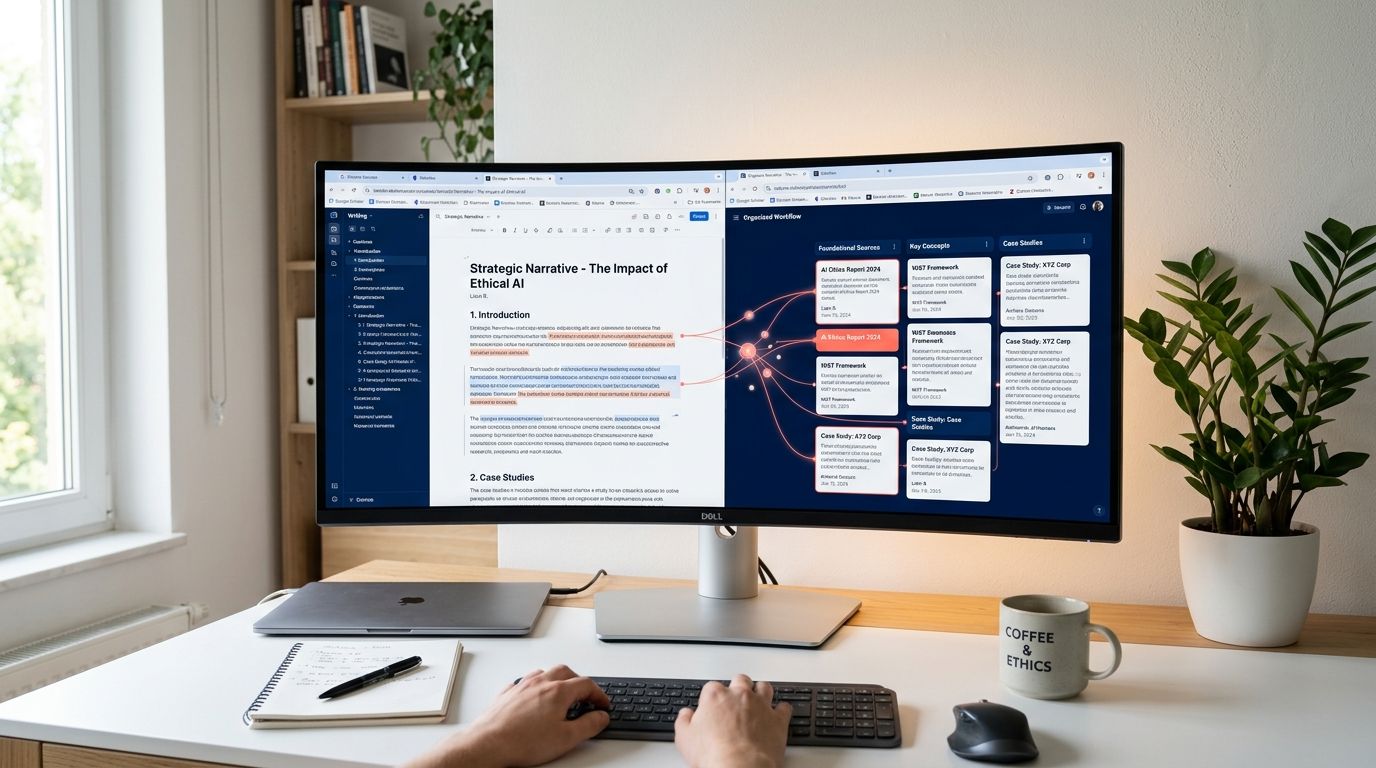
Nodeflow keeps the thesis, sources, brief, and draft in one workspace. There's no tab to close or tool to switch to — the research context stays visible alongside the writing surface. When you need to cite a source, it's already attached. When you want to check your brief mid-paragraph, it's a glance away, not a context switch.

This matters most during drafting, when the cognitive load is already high. Rebuilding research context mid-sentence costs more than the time it takes — it interrupts the thinking that produces good writing.

For writers who've already committed to the structured workflow this post describes, Nodeflow removes the last remaining gap: the transfer cost between research and draft. The thesis sets the direction. The brief holds the structure. The sources stay organized. And the draft happens in the same place — so the workflow you built doesn't break down when it matters most.

Start Your First Integrated Research Session